
Nebulosity for VS Code
A live map of your codebase beside your code. It follows the file you have open, and Claude Code can read it too.
In tests, Claude Code answered multi-file questions up to 4.4× faster with it, and got all 42 right.
VS Code with editor.main.ts open. The Map shows what it imports.
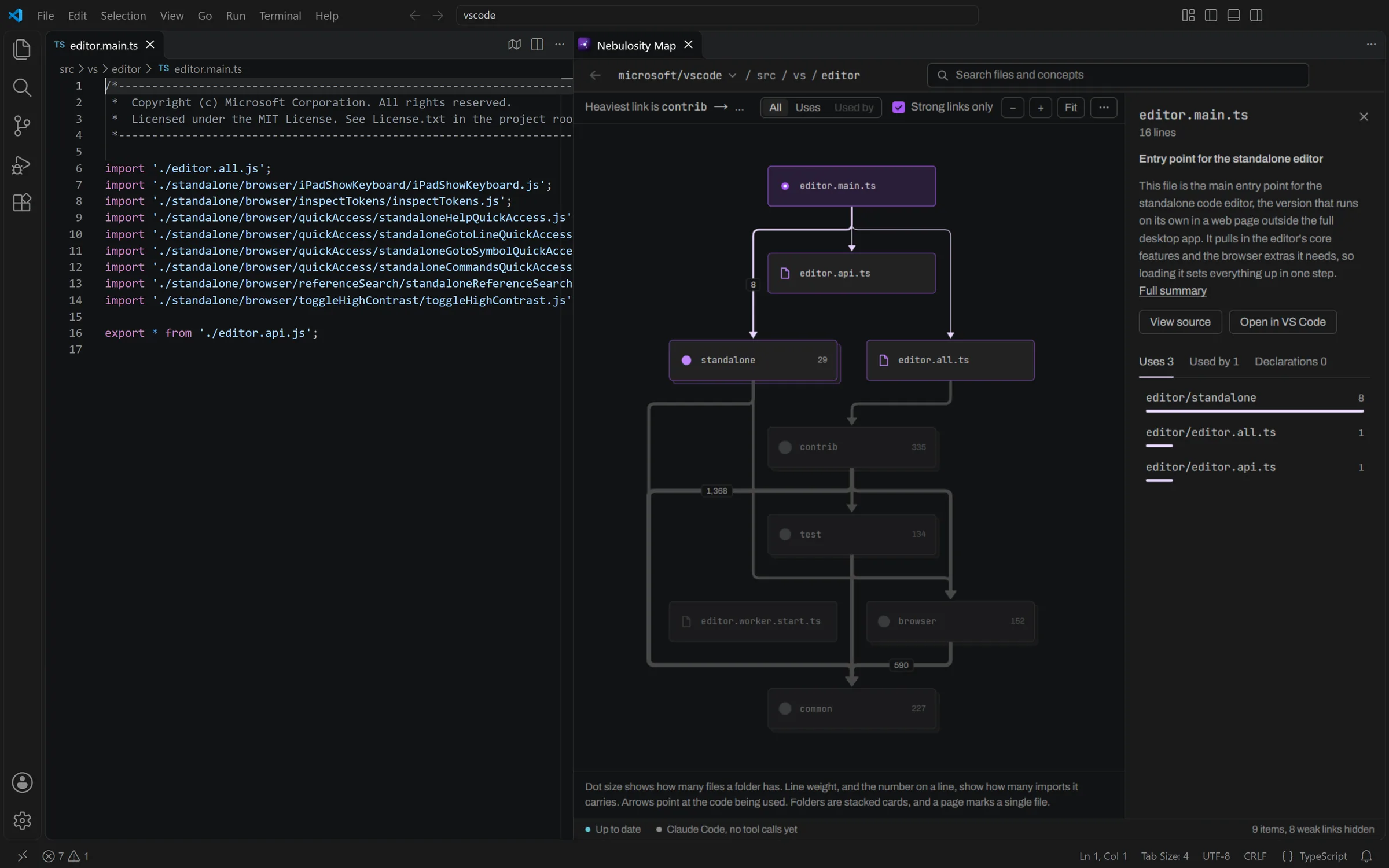
The Map, in a panel beside your code
It takes its colors from your VS Code theme, so it reads like part of the editor.
It follows the file you have open
When you switch files, the Map moves to the new file's folder. It draws lines to everything that file imports and fades the rest. When Claude Code uses Nebulosity's tools, every box it looks at is ringed in orange.

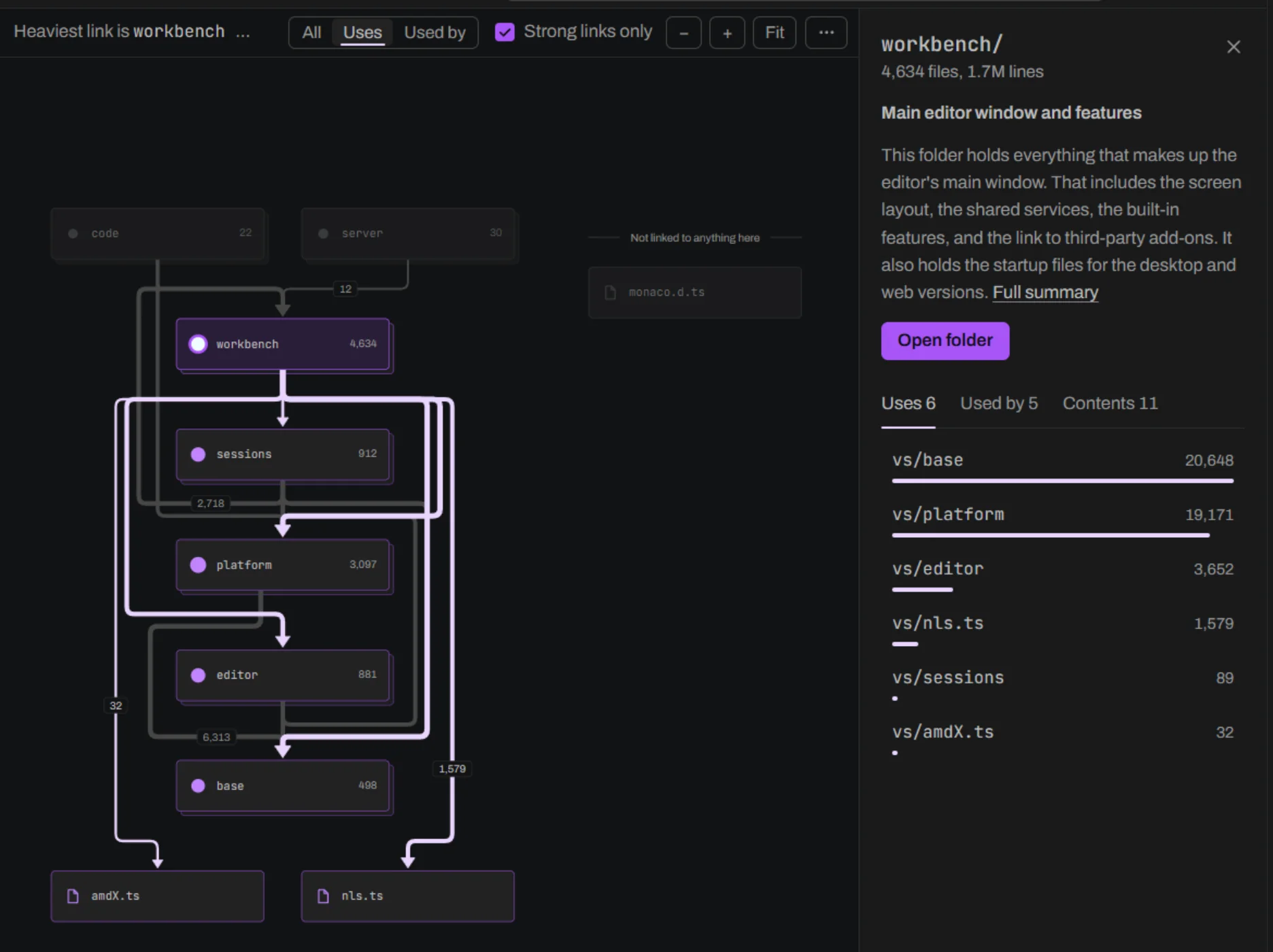
Click a box to see what it uses
Clicking on a box displays its summary and everything it imports, sorted from most imports to fewest. The thicker a line, the more imports it carries.
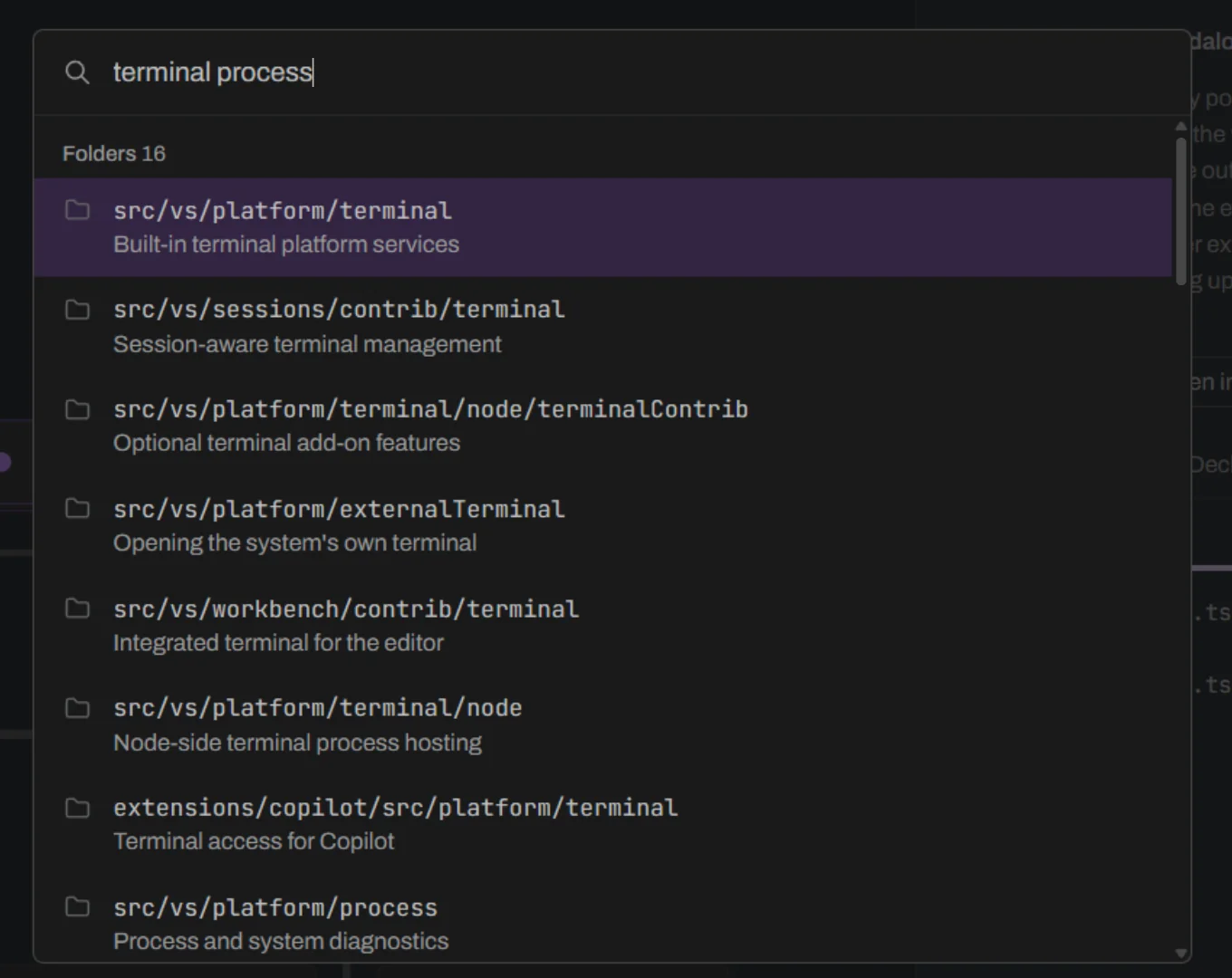
Search by what code does
Ctrl+K finds files and folders by name and by what they do once AI summaries are written.
Up to 4.4× faster on questions that span many files
Claude Code with and without Nebulosity, on VS Code, AFFiNE and Theia. Every answer was checked against a correct answer worked out separately, by tools that share no code with Nebulosity.
4.4×fastertracing how an entry point ends up loading a file
2.6×cheaperon that same question, by Claude Code's own estimate
42/42fully rightagainst 29 of 42 without it
How many times faster Claude Code answered with Nebulosity
- What could changing this file affect?2.1× cheaper on VS Code and AFFiNE
- How does this entry point end up loading that file?2.6× cheaper on VS Code and AFFiNE
- Which entry points end up loading this file?1.6× cheaper on VS Code and AFFiNE
- Which files depend on this one, directly or not?1.4× cheaper on VS Code and AFFiNE
- Is this file part of an import cycle?1.5× cheaper on VS Code and AFFiNE
These five question types were 84 of the 378 runs, 42 with Nebulosity and 42 without. On the other 294 runs, simpler or different questions were asked and both setups performed around the same. Each speedup compares the median of 6 runs per setup on VS Code and AFFiNE together, and of 3 on Theia. The question types were grouped after the runs. Read the full evaluation
* Theia's 3.7× metric was measured later (26 October 2026) with the same setup. 3 of 3 answers were fully right with Nebulosity, 0 of 3 alone.
Install
In VS Code
Install the package
npm install -g nebulosity
Index your repo from its root folder, free
nebulosity index .
Install the extension or from the Marketplace
code --install-extension andrewl746.nebulosity-vscode
Open the Map
Nebulosity: Show MapCommand Palette
Or open it in a browser after steps 1 and 2, at localhost:3000
nebulosity map
Needs Node 24 or later and Git. Everything runs on your machine. Nebulosity only sends your code to Anthropic if you add an API key for AI summaries.
Then connect Claude Code
nebulosity setup
- What could break if
src/vs/base/common/event.tschanges? - How does
main.tsend up loadingterminal.ts? - Are there import cycles in
src/vs/platform?
Needs Claude Code 2.1.300 or later started in the same folder. Claude Code uses Nebulosity's tools when needed and can show its answer on the Map. If something isn't working, run nebulosity doctor to see what's missing. The guide lists every command.